
Download KeyBlaze Typing Tutor – Kostenloser Tipptrainer für Windows, Mac, iOS & Android
Übersicht: Warum KeyBlaze der ideale Tippcoach für alle Fähigkeitsstufen ist
KeyBlaze Typing Tutor ist ein eigens entwickeltes Lernwerkzeug, das jedem – vom absoluten Anfänger bis zum erfahrenen Profi – hilft, Tippgeschwindigkeit, Genauigkeit und Selbstvertrauen zu steigern. Die Software kombiniert ein strukturiertes Curriculum, sofortiges Leistungs‑Feedback und visuelle Finger‑Platzierungs‑Hinweise, um ein umfassendes Tipp‑Lernerlebnis zu schaffen. Egal, ob Sie ein Student sind, der sich auf Prüfungen vorbereitet, ein Autor, der die Transkriptionszeit reduzieren möchte, oder ein Remote‑Mitarbeiter, der schneller tippen muss, ohne an Genauigkeit zu verlieren, KeyBlaze liefert messbare Ergebnisse in kurzer Zeit.
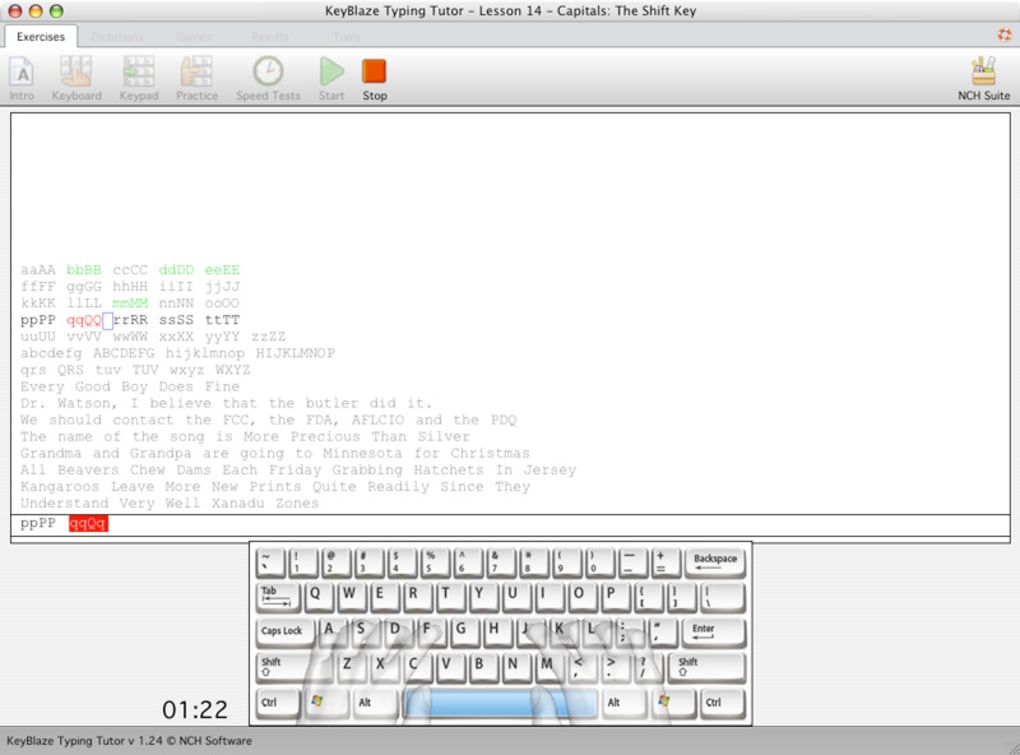
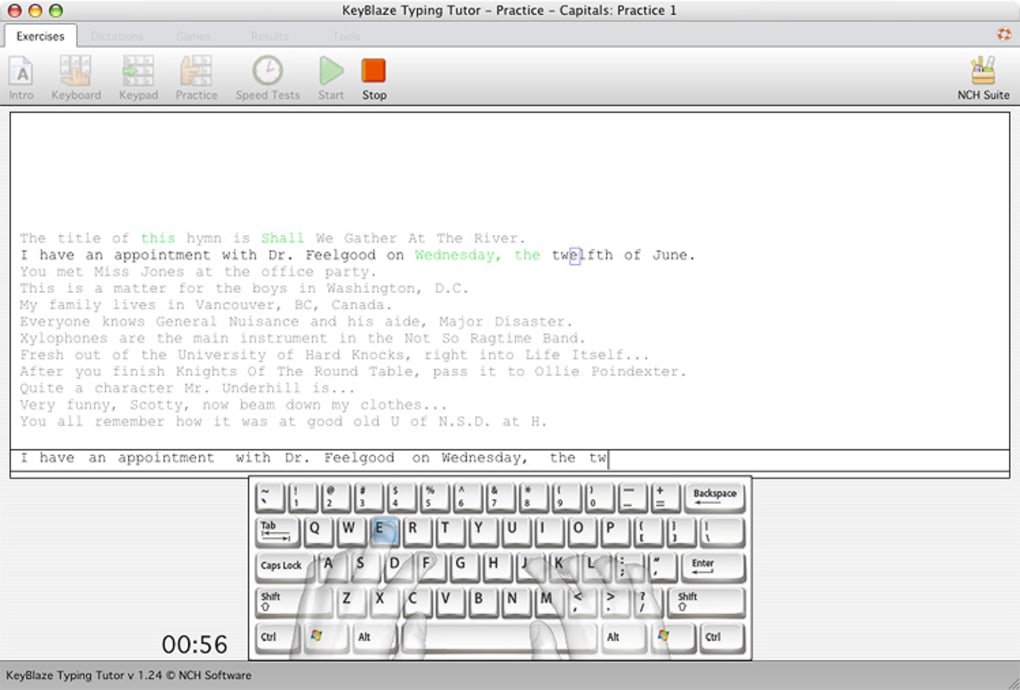
Was KeyBlaze von generischen Tipp‑Spielen unterscheidet, ist sein pädagogischer Ansatz. Die Lektionen sind in progressive Stufen gegliedert, beginnen mit einfachen Home‑Row‑Übungen und führen zu vollständigen Satz‑Nachschreib‑Übungen. Jede Lektion wird von Bildschirmgrafiken begleitet, die den idealen Finger für jede Taste hervorheben, wodurch die richtige Ergonomie verstärkt und das Risiko von Belastungsverletzungen reduziert wird. Die Anwendung verfolgt sowohl Geschwindigkeit (Wörter pro Minute) als auch Fehlerrate und erzeugt nach jeder Sitzung eine klare Bewertung, sodass Sie die Verbesserung auf einen Blick sehen können.
Ein weiterer Pluspunkt ist die Flexibilität der Plattform. KeyBlaze läuft unter Windows, macOS, Android und iOS, sodass Sie zu Hause am Desktop, im Café am Laptop oder sogar unterwegs auf einem Mobilgerät üben können. Die Software ist leichtgewichtig, arbeitet nach dem ersten Download offline und speichert den Fortschritt lokal, wodurch Ihre Daten privat und sicher bleiben. Mit einer kostenlosen Version, die einen soliden Satz Kernlektionen enthält, und einem erschwinglichen Upgrade für erweiterte Module bietet KeyBlaze einen kosteneffizienten Weg zur Tipp‑Meisterschaft.
Kurz gesagt, KeyBlaze Typing Tutor ist mehr als nur ein Geschwindigkeitstest; es ist eine vollwertige Bildungs‑Suite, die sich Ihrem persönlichen Lerntempo anpasst, visuelle Anleitung bietet und umsetzbares Feedback liefert – und das alles, während das Erlebnis spaßig und fesselnd bleibt.
Schlüsselfunktionen, die KeyBlaze hervorheben
- Progressive Lesson Structure: Starts with basic home‑row drills, moves through numeric keypad, punctuation, and culminates in full‑passage re‑typing.
- Real‑Time Accuracy & Speed Metrics: Displays words‑per‑minute (WPM) and error percentage after each exercise.
- Finger‑Placement Graphics: On‑screen diagrams show the optimal finger for every key, reinforcing proper ergonomics.
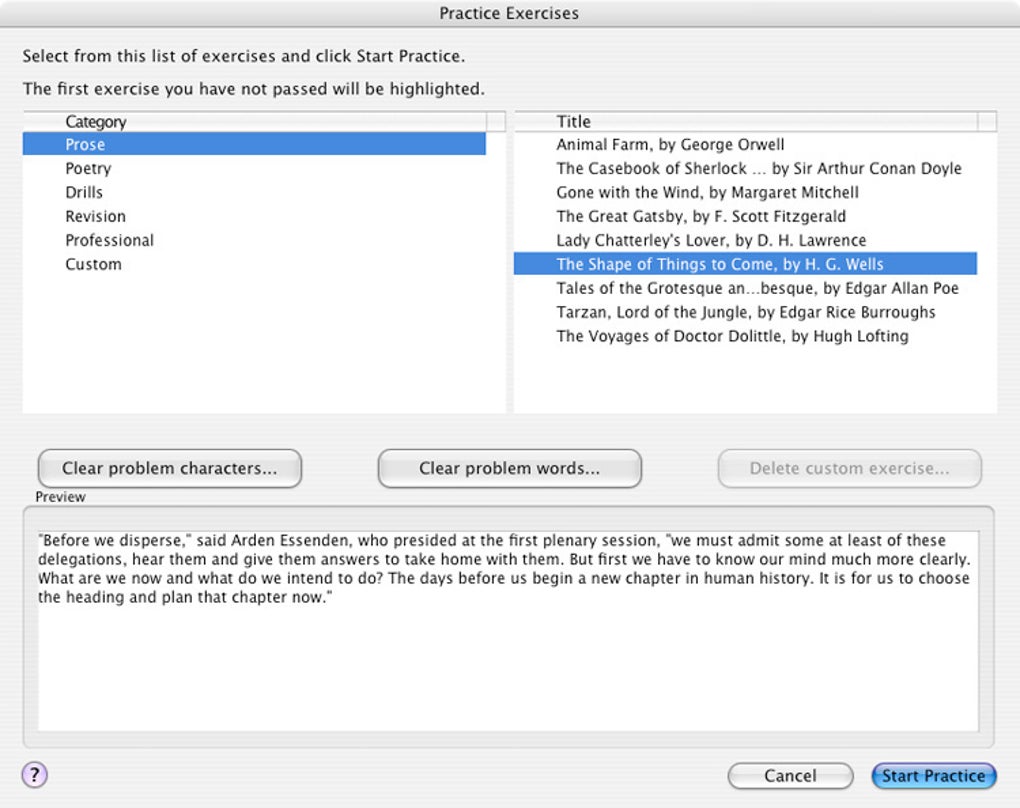
- Custom Text Import: Users can upload their own documents or web articles to practice typing content that matches real‑world needs.
- Multi‑Platform Support: Available for Windows, macOS, Android, and iOS, with synchronized progress when using the same account.
- Adaptive Difficulty: The program automatically adjusts lesson difficulty based on your performance, ensuring you are constantly challenged.
- Progress Reports & Certificates: Detailed charts track improvement over weeks and months; high‑scoring users receive printable certificates.
- Gamified Elements: Earn badges for milestones such as “First 30 WPM” or “Zero Errors for 5 Consecutive Lessons.”
- Secure Offline Mode: After download, the app works without an internet connection, keeping your practice data private.
- Affordable Upgrade Path: The free version covers core lessons; a one‑time payment unlocks premium modules, additional languages, and advanced analytics.
Each of these features has been carefully engineered to address common pain points in typing education. For example, the adaptive difficulty system prevents frustration by never presenting a lesson that is too easy or too hard, while the finger‑placement graphics reduce the learning curve for new typists. The ability to import custom text is especially valuable for professionals who need to type industry‑specific terminology, allowing them to practice directly on relevant content. Moreover, the cross‑platform nature means you can switch devices without losing progress—a convenience that many competitors lack.
Overall, the feature set creates a holistic learning environment that supports both short‑term skill gains and long‑term retention, making KeyBlaze a versatile tool for anyone serious about improving their typing proficiency.
Installations‑ & Nutzungs‑Leitfaden – In wenigen Minuten startklar
Step‑by‑Step Installation
- Visit the official KeyBlaze website or your device’s app store (Microsoft Store, Mac App Store, Google Play, or Apple App Store).
- Click the “Download” or “Get” button. The installer size is under 100 MB, ensuring a quick download even on slower connections.
- For Windows/macOS, run the downloaded installer and follow the on‑screen prompts: accept the license agreement, choose an installation folder, and click “Install.”
- On mobile devices, the app installs automatically after the download completes.
- Launch KeyBlaze. The first launch will ask you to create a free account or continue as a guest. Creating an account enables cloud backup of your progress and access to premium upgrades.
First‑Time Configuration
Upon opening the app, you will be guided through a short onboarding questionnaire that determines your current typing level and preferred learning pace. Based on your answers, KeyBlaze recommends an initial lesson path—usually a quick home‑row drill to calibrate the finger‑placement graphics. You can skip the questionnaire and start with the “Beginner” track if you prefer a manual approach.
How to Use the Core Interface
The main dashboard displays four primary sections: “Lesson Library,” “Progress Tracker,” “Custom Text,” and “Settings.” Selecting “Lesson Library” opens a list of categories (Home Row, Numbers, Symbols, etc.). Each lesson shows an estimated time, target WPM, and difficulty rating. Clicking a lesson starts a timed typing session where the text appears in a large, high‑contrast font, and a virtual keyboard highlights the next key to press.
During the session, a real‑time meter shows your current WPM and error count. After completion, a detailed summary appears, including:
- Overall speed (WPM)
- Accuracy percentage
- Most mistyped keys
- Suggested next lesson based on performance
All results are stored in the “Progress Tracker,” which visualizes trends over days, weeks, and months using line graphs. This data is crucial for identifying plateaus and celebrating breakthroughs.
Compatibility Across Operating Systems
KeyBlaze Typing Tutor is compatible with the following platforms:
- Windows 10, Windows 11 (64‑bit)
- macOS 10.15 Catalina and later
- Android 8.0 Oreo and later
- iOS 13 and later (iPhone & iPad)
System requirements are modest: a minimum of 2 GB RAM, 200 MB of free disk space, and a standard keyboard (or the on‑screen keyboard for mobile devices). The app runs smoothly on both high‑end workstations and modest laptops, making it accessible to students, freelancers, and corporate teams alike.
Vor‑ und Nachteile sowie häufig gestellte Fragen
Pros
- Intuitive, step‑by‑step lesson progression.
- Clear visual finger‑placement guides reduce bad habits.
- Cross‑platform support ensures seamless transition between devices.
- Offline mode protects privacy and allows practice without internet.
- Custom text import tailors practice to real‑world needs.
- Free version provides ample core content; premium upgrade is reasonably priced.
Cons
- Advanced analytics (heat maps, detailed error breakdown) are only in the paid version.
- No built‑in speech‑to‑text feature for hands‑free practice.
- Mobile UI can feel cramped on very small screens.
FAQ – Answers to Common Queries
Is KeyBlaze free or do I need to pay for a license?
KeyBlaze offers a fully functional free version that includes all basic lessons and progress tracking. A one‑time purchase unlocks premium modules, advanced analytics, and additional language packs.
Can I use KeyBlaze without an internet connection?
Yes. After the initial download, the app works completely offline. Your progress is saved locally, and you can sync to the cloud later when you reconnect.
Does KeyBlaze support multiple languages?
The free version supports English lessons. Premium upgrades add Spanish, French, German, and other language packs, each with localized instructions and custom texts.
How accurate are the speed and error measurements?
KeyBlaze measures words per minute based on a standard 5‑character word definition and tracks every keystroke to calculate an exact error percentage. The metrics are comparable to industry‑standard typing tests.
Can I import my own documents for practice?
Yes. The “Custom Text” feature lets you paste or upload plain‑text files (.txt) and practice typing any content you choose, which is ideal for work‑related material or personal projects.
Fazit: Machen Sie den ersten Schritt zu schnellerem, genauerem Tippen
KeyBlaze Typing Tutor delivers a balanced mix of education, motivation, and convenience that makes it one of the most effective typing tools on the market today. Its structured lessons, real‑time feedback, and finger‑placement graphics address the core challenges that slow typists face, while the cross‑platform availability ensures you can practice wherever you are. Whether you opt for the free version or decide to upgrade for premium content, you’ll notice measurable improvements within just a few weeks of regular use.
Because the software works offline and stores data locally, you can trust that your progress remains private—a valuable feature for schools and enterprises that prioritize security. The ability to import custom texts also means the learning experience can be tailored to any profession, from writers and programmers to data entry specialists.
Ready to boost your typing speed and reduce errors? Download KeyBlaze Typing Tutor today and start your journey toward 60 WPM or more. Take advantage of the free trial, explore the lesson library, and see for yourself how quickly you can type with confidence and precision.







